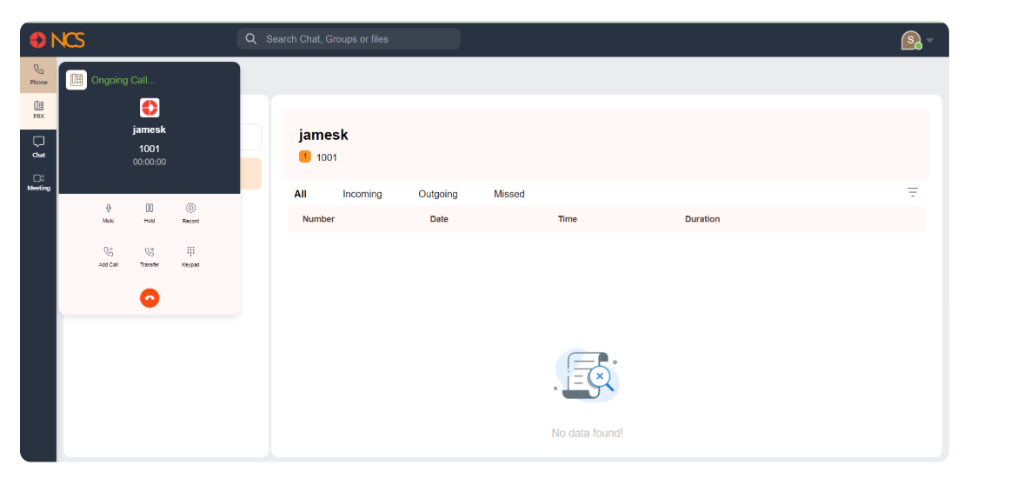
Mute: click the Mute button to mute your microphone during the call. Klik again to unmute.
Hold: click the Hold button to place the call on hold. Klik again to resume the call.
Record: Klik the Record button to start recording the call. Klik again to stop recording.
Add Panggilan: Klik the Add Panggilan button to initiate a new call while keeping the current call on hold. This allows you to handle multiple calls simultaneously.
Transfer: Klik the Transfer button to transfer the current call to another number or contact. Follow the prompts to complete the transfer.
Keypad: Klik the Keypad button to bring up the dial pad, which can be used to enter numbers during the call (e.g., for navigating automated systems).