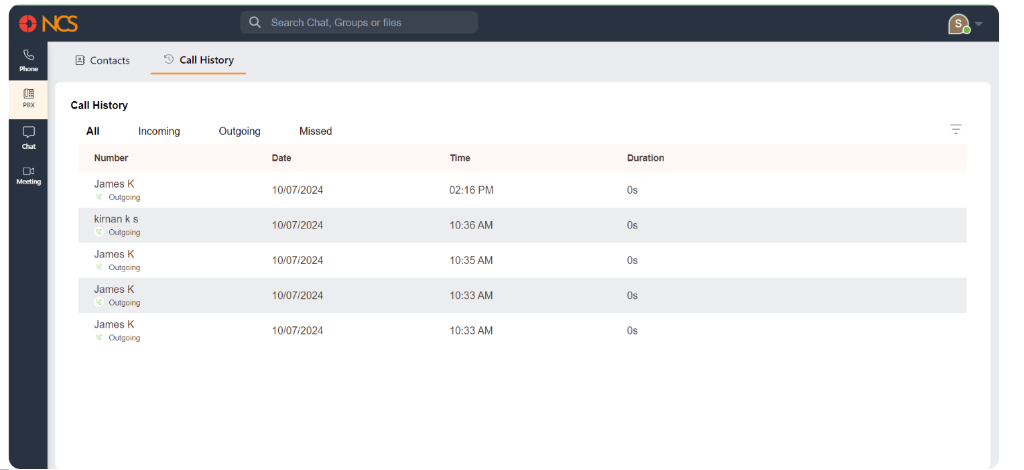
Panggilan History
Klik on the Panggilan History tab at the top of the PBX system interface to view the call history. The top section contains tabs to filter call history:
- All: Shows all calls (incoming, outgoing, and missed).
- Incoming: Displays only incoming calls.
- Outgoing: Displays only outgoing calls.
- Missed: Displays only missed calls.
On the right side of the call history list, click the filter icon to open the date filter options:
- From: Pilih the start date for the filter range.
- To: Pilih the end date for the filter range.
Klik the Hantar button to apply the date filter and view calls within the specified date range.
The main section displays a list of calls based on the selected filter. Each call entry includes:
- Nombor: The type of call (incoming, outgoing, missed) and the contact's number.
- Date: The date when the call occurred.
- Time: The time when the call occurred.
- Duration: The length of the call.