SUP 8.1 Review call history
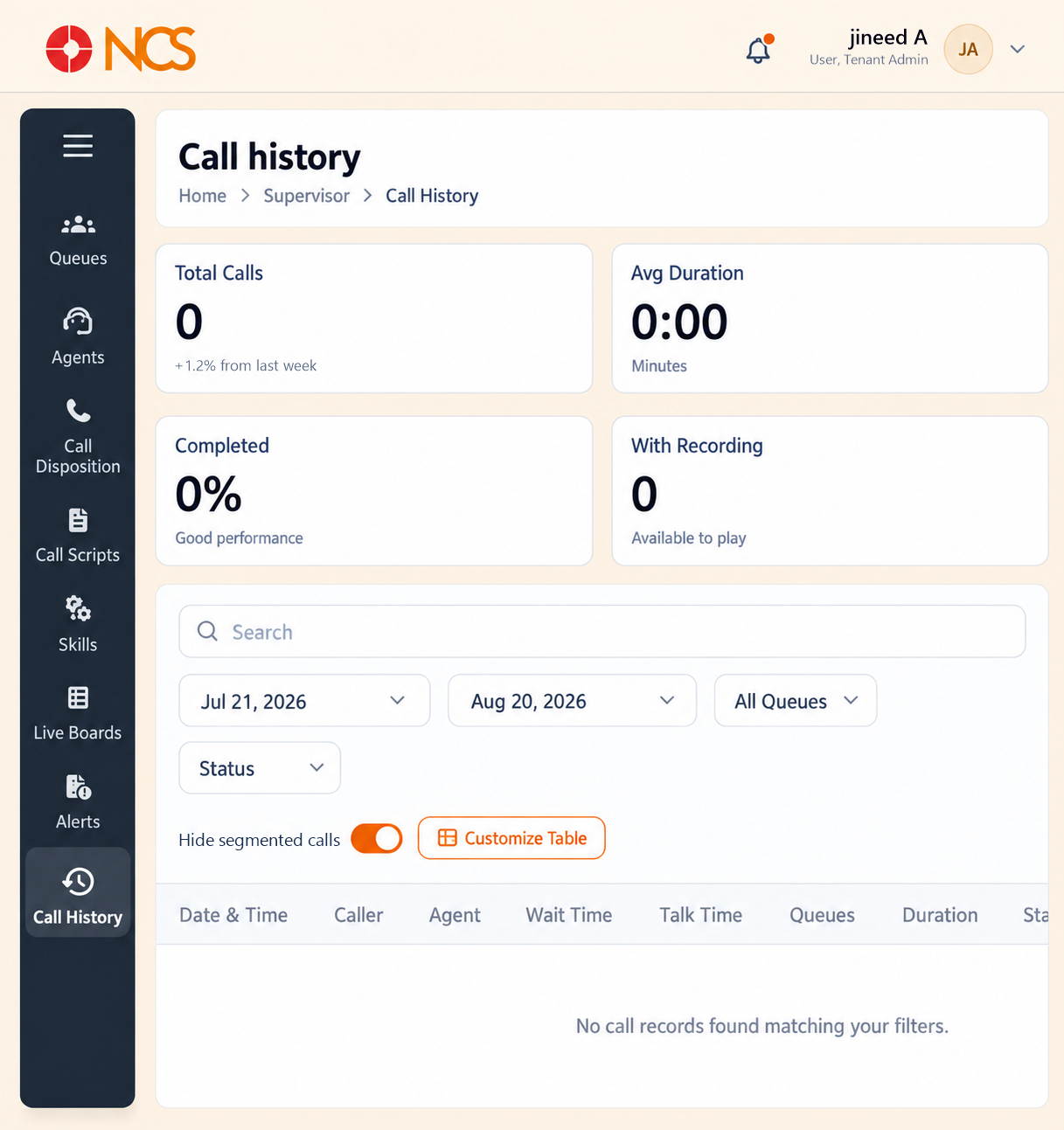
- Open Superviseur > Appel History.
- Read the four summaries:
| Summary | Its own caption |
|---|---|
| Total Appels | A week-on-week change, for example "+1.2% from last week". |
| Avg Duration | In minutes. |
| Completed | A percentage, with a qualitative note such as "Good performance". |
| With Recording | A count, captioned "Available to play". |
- Filtrer using the start date and end date controls, All Fichiers d'attente, and Statut, which offers Completed, Transferred and Voicemail.
- Sélectionnez or clear Hide segmented calls.
- Sélectionnez Customize Tableau to change the visible columns.
- Review the columns: Date & Time, Appeler, Agent, Wait Time, Talk Time, Fichiers d'attente, Duration, Statut, Recording and Summary.
The empty state reads "No call records found matching your filters."
The date range defaults to the last 30 days, not to everything. It opens with the start date 30 days back and the end date today. A call older than that is not missing, it is outside the window: widen the range before concluding a call was never recorded.
Hide segmented calls changes what a row means. A call transferred between agents or queues produces several segments. With the option cleared you see each leg, which is what you want when tracing where a call went wrong. With it selected you see one row per customer contact, which is what you want when counting calls. Know which mode you are in before you quote a total.
Wait Time and Talk Time answer different questions. Wait Time is the queue's performance. Talk Time is the agent's. A long Wait Time with a short Talk Time is a routing problem, not a handling one.
This page is not the same as PBX Appel Logs. Appel Logs (PBX 6) is every call on the PBX, including internal ones. Appel History is the queue-handled subset, with the contact-centre columns. Use Appel Logs to prove a call arrived, and Appel History to explain what happened to it.
Figure key, Superviseur Appel History
- Fil d'Ariane.
- Left navigation, with Appel History selected.
- Total Appels summary.
- Avg Duration summary.
- Completed summary.
- With Recording summary.
- Rechercher field.
- Contrôle de date de début.
- Contrôle de date de fin.
- Queue filter.
- Statut filter.
- Hide segmented calls control.
- Customize Tableau control.
- Columns: Date & Time, Appeler, Agent, Wait Time, Talk Time, Fichiers d'attente, Duration, Statut, Recording, Summary.