PBX 7.1 Review SIP accounts
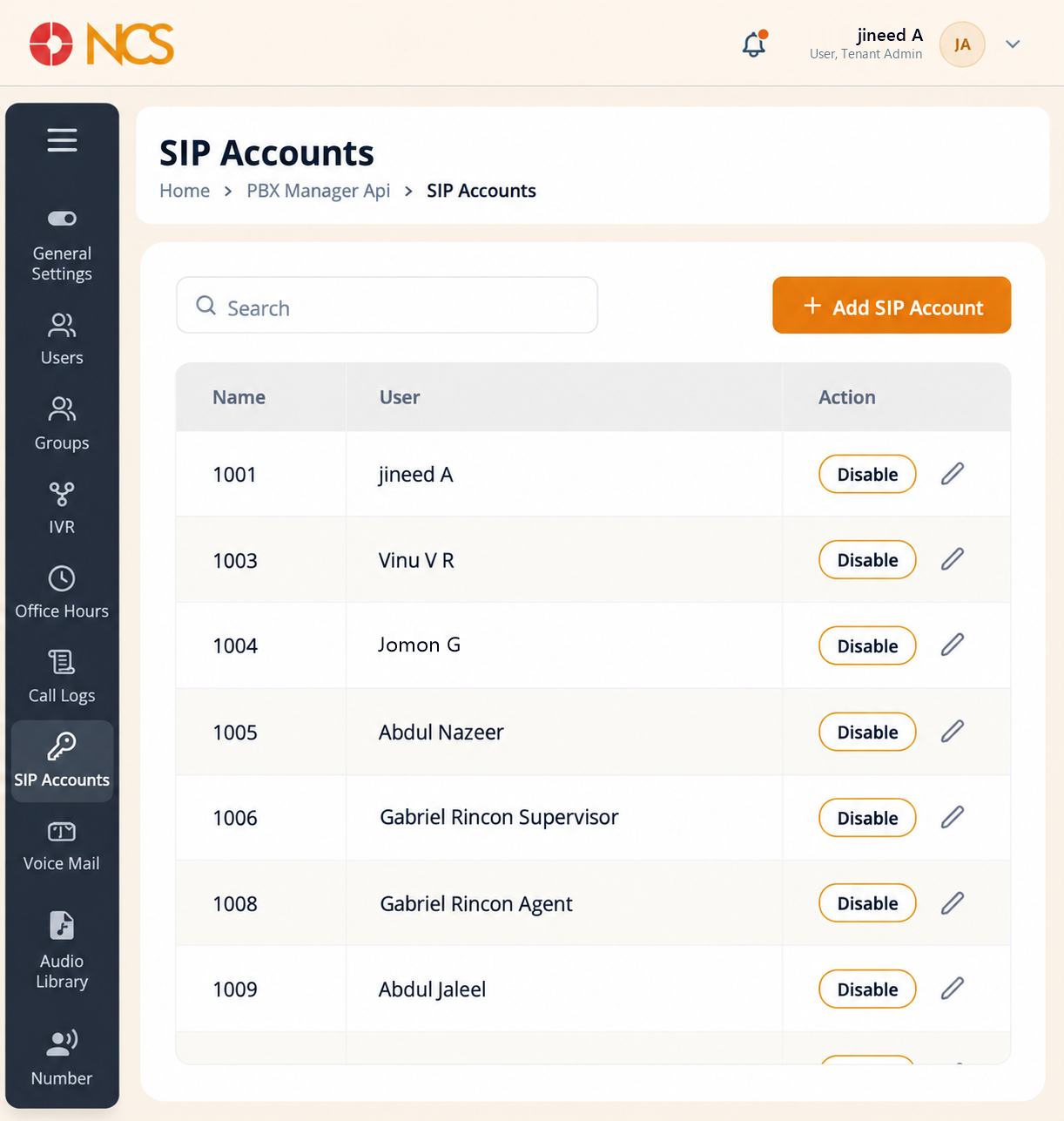
- Open Gestionnaire PBX > Comptes SIP.
- Use Rechercher to locate an account or an assigned user.
- Review the columns:
| Colonne | Contenu |
|---|---|
| Nom | The account name, which on this tenant is the extension number, for example 1003. |
| Utilisateur | The user the account is assigned to, or Unassigned. |
| Action | The row control Disable. |
Master list of extensions. This is your master list of extensions and who holds them. It is the fastest way to answer "who is on extension 1013" and to spot accounts sitting unassigned. On the reviewed tenant it listed 21 accounts, one of them Unassigned.
Figure key, Comptes SIP list
- Fil d'Ariane.
- Left navigation, with Comptes SIP selected.
- Rechercher field.
- Add SIP Account button.
- Nom column.
- Utilisateur column.
- **Colonne Action, with the row Edit and Disable controls.