3.4.5 Stage 5, Test and Publish
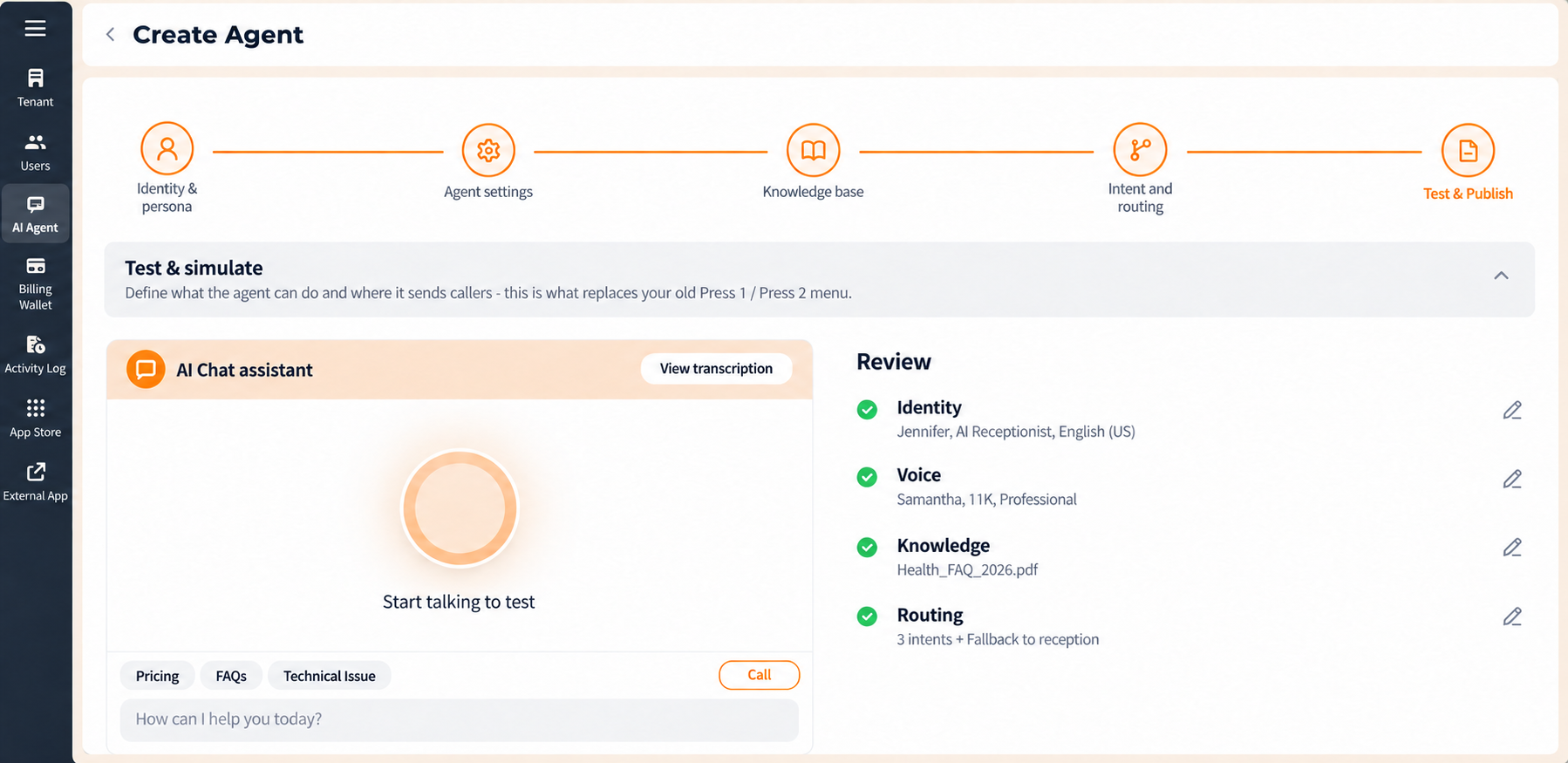
The final stage lets you hold a conversation with the agent and check its configuration before it takes real calls.
Test and Simulate. The AI Chat assistant panel on the left lets you interact with the agent exactly as a caller would, so you can check its answers, its tone and its routing before it goes live.
| Control | What it does |
|---|---|
| Start talking to test | Seleccione the circular icon to begin a live voice simulation with the agent. |
| Llamada | Starts a simulated call session with the agent. |
| Suggested prompts | Quick-select options, for example Pricing, FAQs, Technical Issue, that test common caller intents without typing them. |
| Message field | Shows the prompt "How can I help you today?" Type a question here to test the agent in a chat-style interaction. |
| View transcription | Opens a text transcript of the test conversation, in progress or completed. |
Test at least one question per configured intent, plus one question that matches no intent, to confirm both the routing and the fallback.
Figure key, Stage 5
- Progress bar, with Test & Publish active.
- AI Chat assistant panel.
- Start talking to test circular icon.
- Llamada button.
- Suggested prompts quick-select options.
- Message field, showing "How can I help you today?"
- View transcription control.
- Configuration review panel.
- Volver button.
- **Botón Guardar borrador.