2.9 Resend a user's credentials
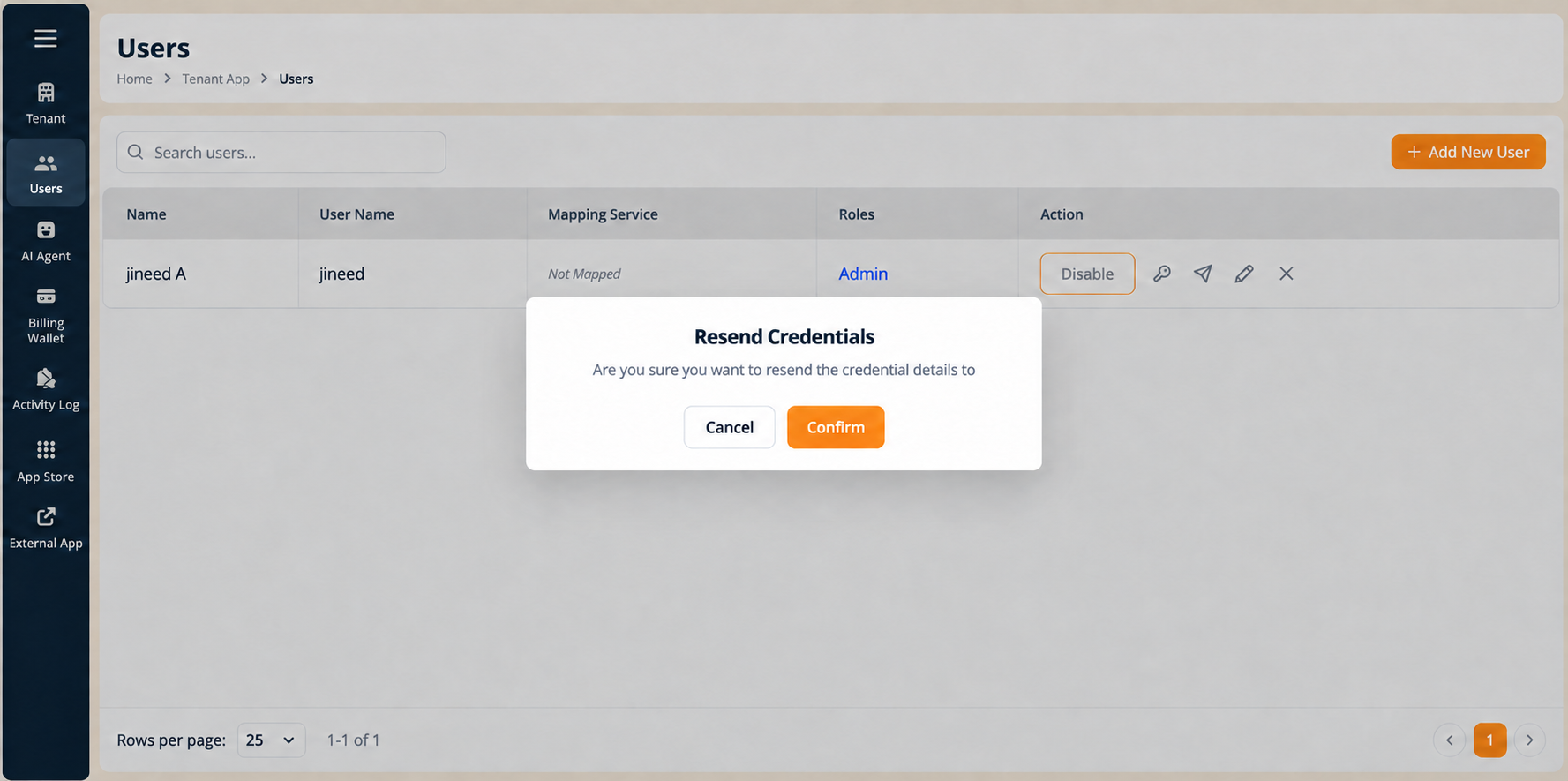
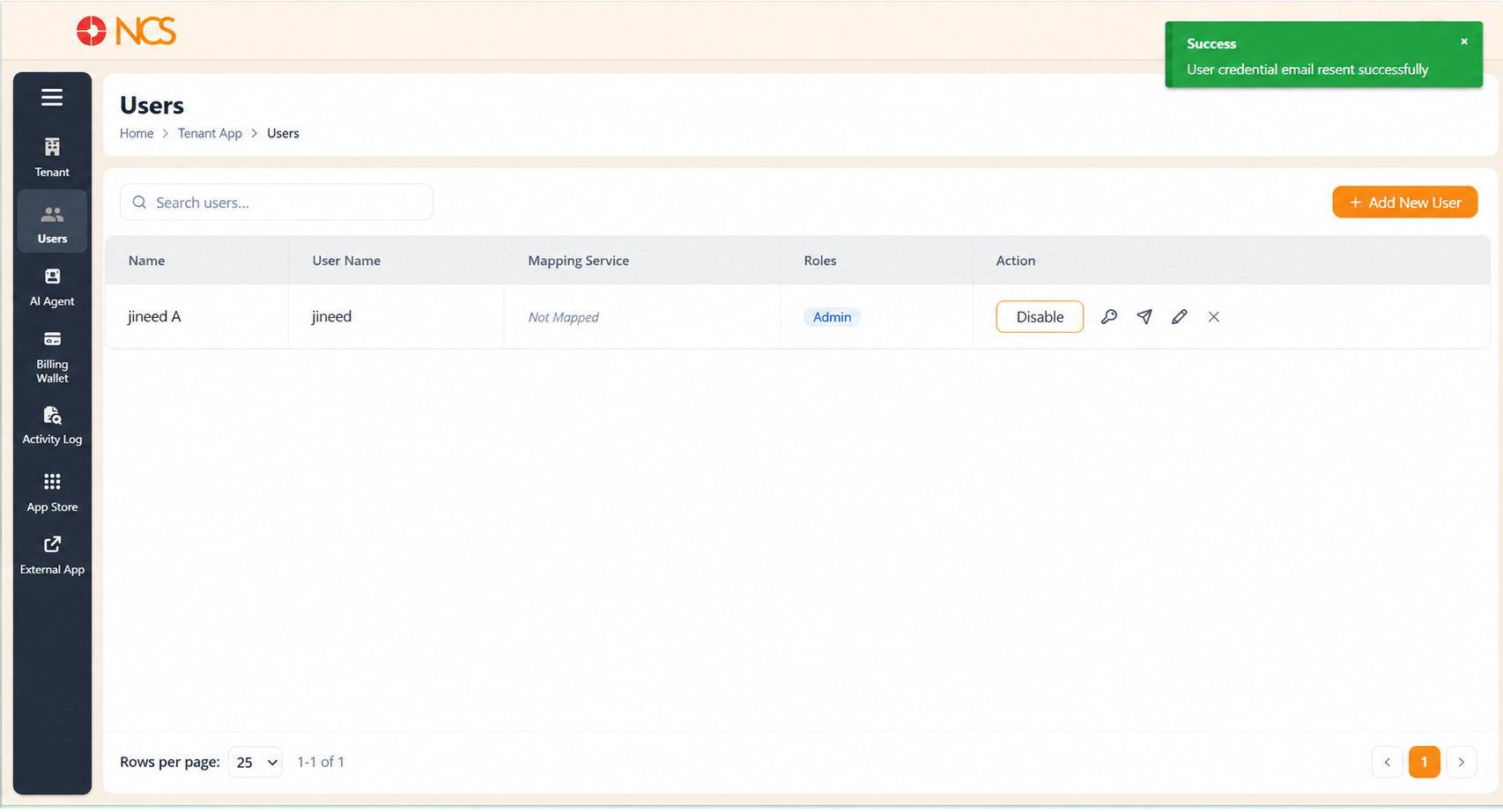
Use this when a user never received their original credential email, or lost it.
- Open المستأجر > المستخدمون.
- حدد the send icon (Resend Email) on the user's row. The Resend Credentials confirmation modal opens.
- حدد تأكيد to resend the credentials to the user's registered email address.
حدد إلغاء to close the modal without sending anything.
On success a green notification appears at the top right reading "المستخدم credential email resend successfully." (this is the product's own wording). حدد the X on the notification to dismiss it, or leave it and it clears itself after a few seconds.
If the user still receives nothing, check the Email Address on their record (see 2.10) before resending again.
Figure key, Resend Credentials modal
- Modal title, Resend Credentials.
- Confirmation text.
- إلغاء button.
- تأكيد button.
- Success notification, top right, "المستخدم credential email resend successfully.", with its X dismiss control.