3.4.1 Stage 1, Identity and Persona
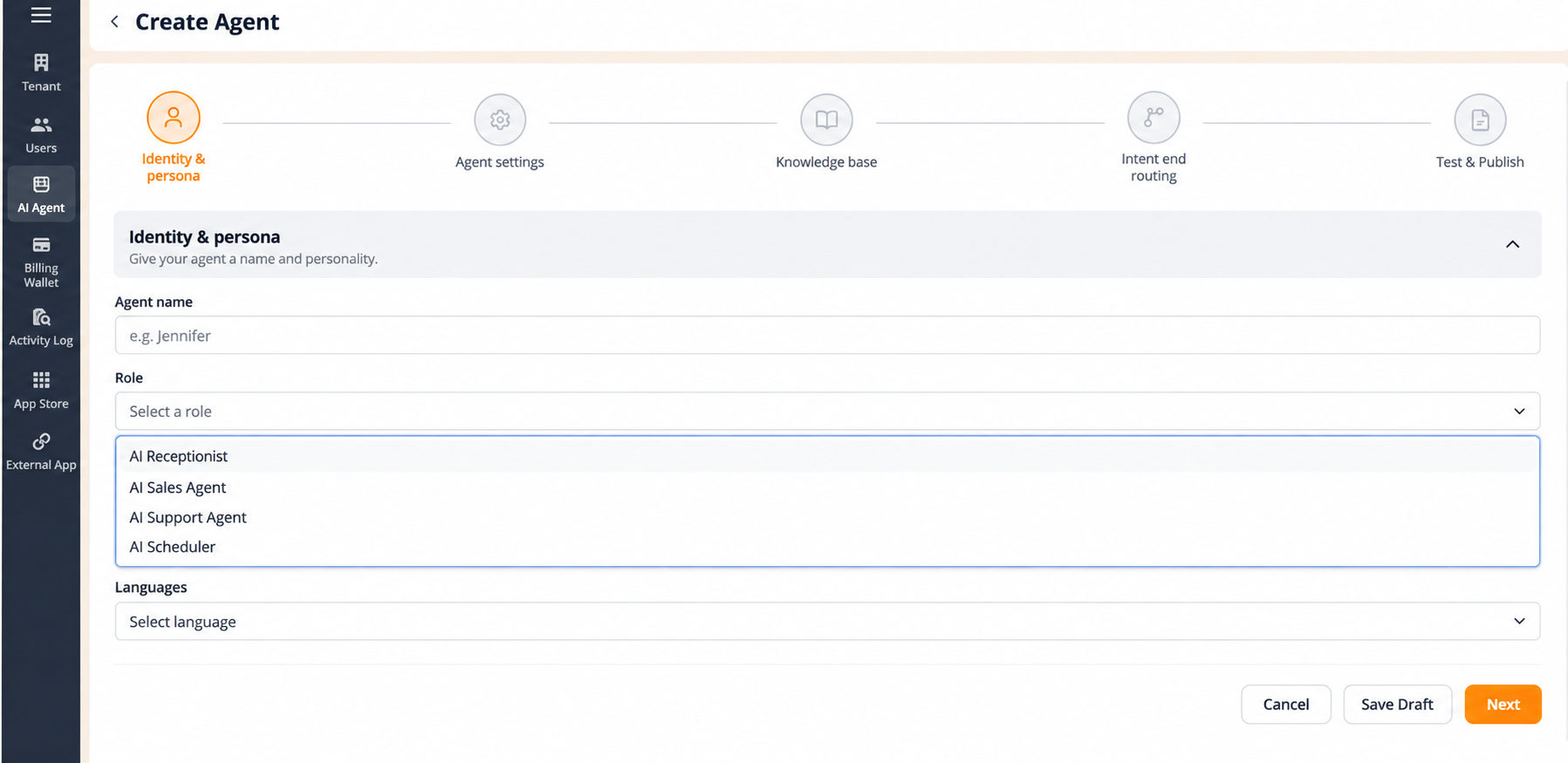
This stage sets what the agent is called and what job it does.
| حقل | What to enter |
|---|---|
| الوكيل الاسم | The name for the agent. This is the name that appears in the الوكيل name column of the list and in another agent's routing destinations, so make it recognisable, for example Reception. |
| الدور | The agent's function, chosen from AI Receptionist, AI Sales الوكيل, AI Support الوكيل or AI Scheduler. |
| Languages | The language or languages the agent supports during interactions. |
Navigation:
- Next completes this stage and unlocks الوكيل الإعدادات.
- **حفظ المسودة يحفظ تقدمك دون إكمال الإعداد.
- إلغاء discards the configuration and exits the wizard.
- The back arrow (
<) at the top left returns you to the وكيل الذكاء الاصطناعي list.
Figure key, Stage 1
- Progress bar, five stages, with Identity & Persona active.
- رجوع arrow (
<), top left. - الوكيل الاسم field.
- الدور dropdown, with the four role options.
- Languages selector.
- إلغاء button.
- **زر حفظ المسودة.
- **زر التالي.