المقسم الآلي 10.2 Add a cell phone
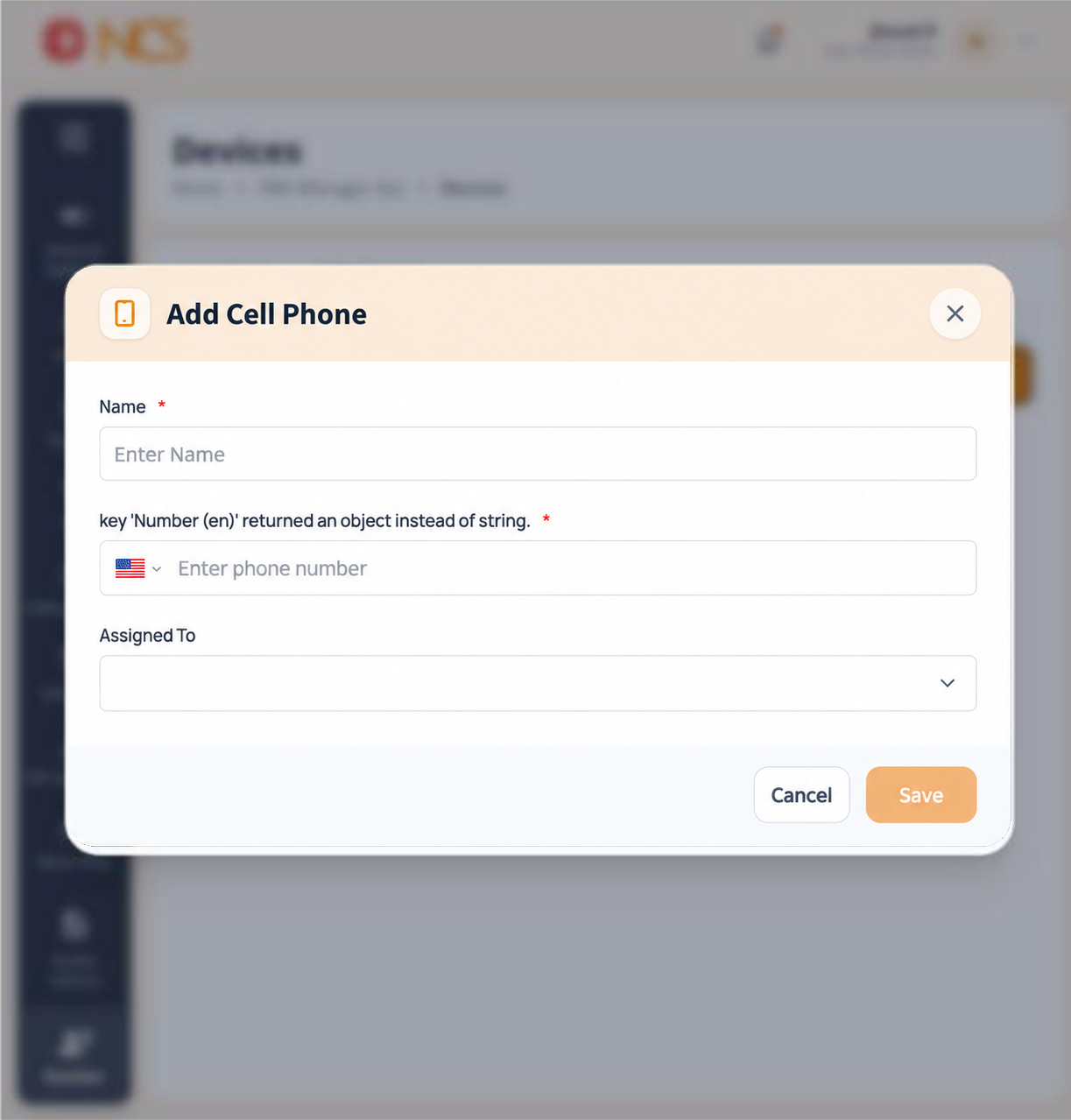
- Open مدير المقسم الآلي > الأرقام and select Cell phones.
- حدد Add Cell الهاتف.
- أدخل الاسم, marked mandatory, placeholder Enter الاسم. الاسم it for the person and the device, for example Duty manager mobile.
- حدد the country. The selector defaults to International and lists every country.
- أدخل phone number, placeholder Enter phone number.
- حدد the assignment selector, defaulting to None, and choose the user this mobile belongs to.
- حدد Save, or إلغاء.
Save stays disabled until the required fields are valid. A greyed-out Save means a value is missing or the number does not match the selected format.
Figure key, Add Cell الهاتف form
- عنوان النموذج.
- الاسم field.
- Country or International format selector.
- الهاتف number field.
- Assigned To selector.
- إلغاء button.
- **زر حفظ, disabled until the form is valid.