المقسم الآلي 3.3 Create a المقسم الآلي group
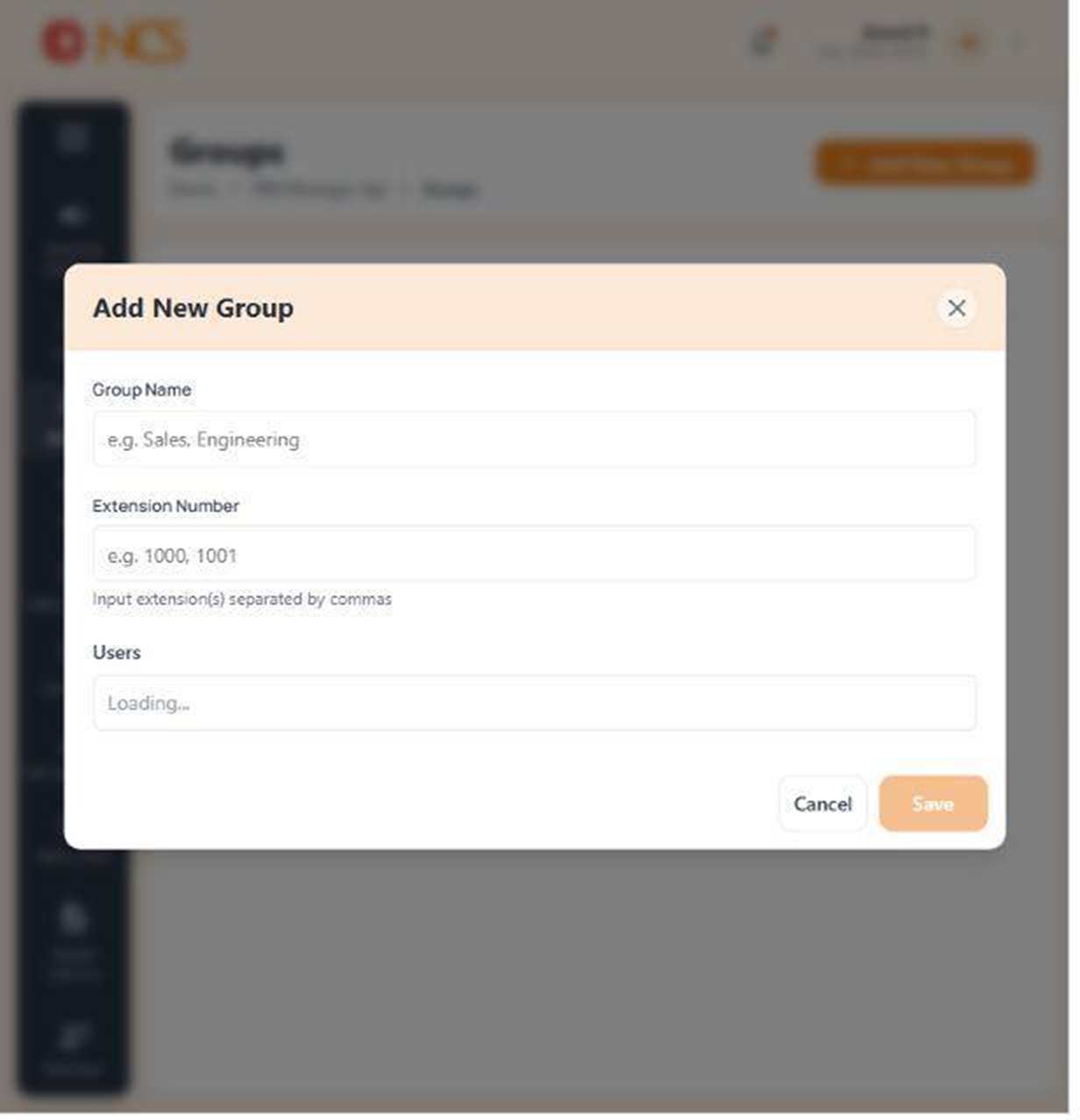
Add New Group opens a panel with three fields, now confirmed against the live build.
- Open مدير المقسم الآلي > المجموعات.
- حدد Add New Group.
- أدخل Group الاسم, placeholder e.g. Sales, Engineering.
- أدخل Extension الأرقام. The field instructs "Input extension(s) separated by commas", placeholder e.g. 1000, 1001.
- حدد المستخدمون. Wait for the available-user list to finish loading before you select, or the list you are choosing from is incomplete.
- حدد Save.
Save stays disabled until the form is valid. A greyed-out Save means a required value is missing or an extension is malformed, not that your account lacks permission. Work back through the fields rather than reloading the page.
الاسم the group for what a caller wants, not for your org chart. A group called Sales survives a reorganisation; one named after a team lead does not, and it becomes a route nobody dares change.
Figure key, Add New Group form
- عنوان النموذج, Add New Group.
- Group الاسم field.
- Extension الأرقام field, with its comma-separated instruction.
- المستخدمون selector.
- **زر حفظ, disabled until the form is valid.